Fine-Grained Access Control
As your team grows, sharing access responsibly matters as much as sharing data. OpenCVE now gives you role-based access control at the organization and project level, so you can delegate administration, scope projects to the right people, and grant read-only visibility where that’s enough.
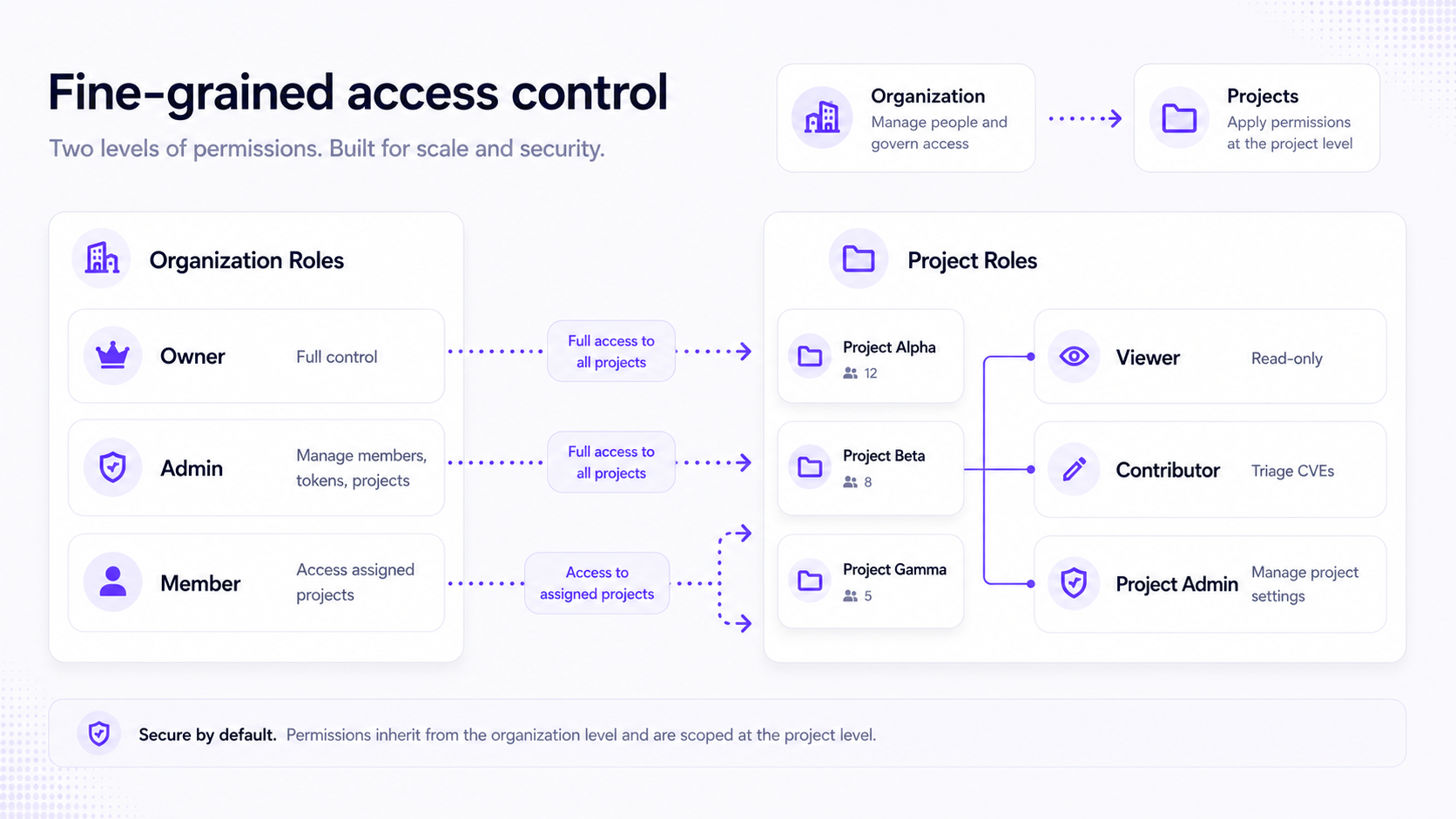
Two levels, one clear model
OpenCVE now separates who can manage the organization from who can work inside each project:
- Organization roles control members, API tokens, projects, and organization settings.
- Project roles control what users can do inside a given project: view CVEs, triage them, or manage project configuration.
Organization Owners and Admins automatically receive Project Admin rights on every project in the organization. They do not need to be listed on each project members page.
Organization Members only see and access the projects they are explicitly assigned to.
Organization roles
Each user has one organization role per organization:
| Role | Summary |
|---|---|
| Owner | Full control over the organization, including deletion and audit logs. |
| Admin | Manage members (Members only), tokens, and projects. Cannot edit organization settings or delete the organization. |
| Member | Access the organization and projects they are assigned to. No organization administration. |
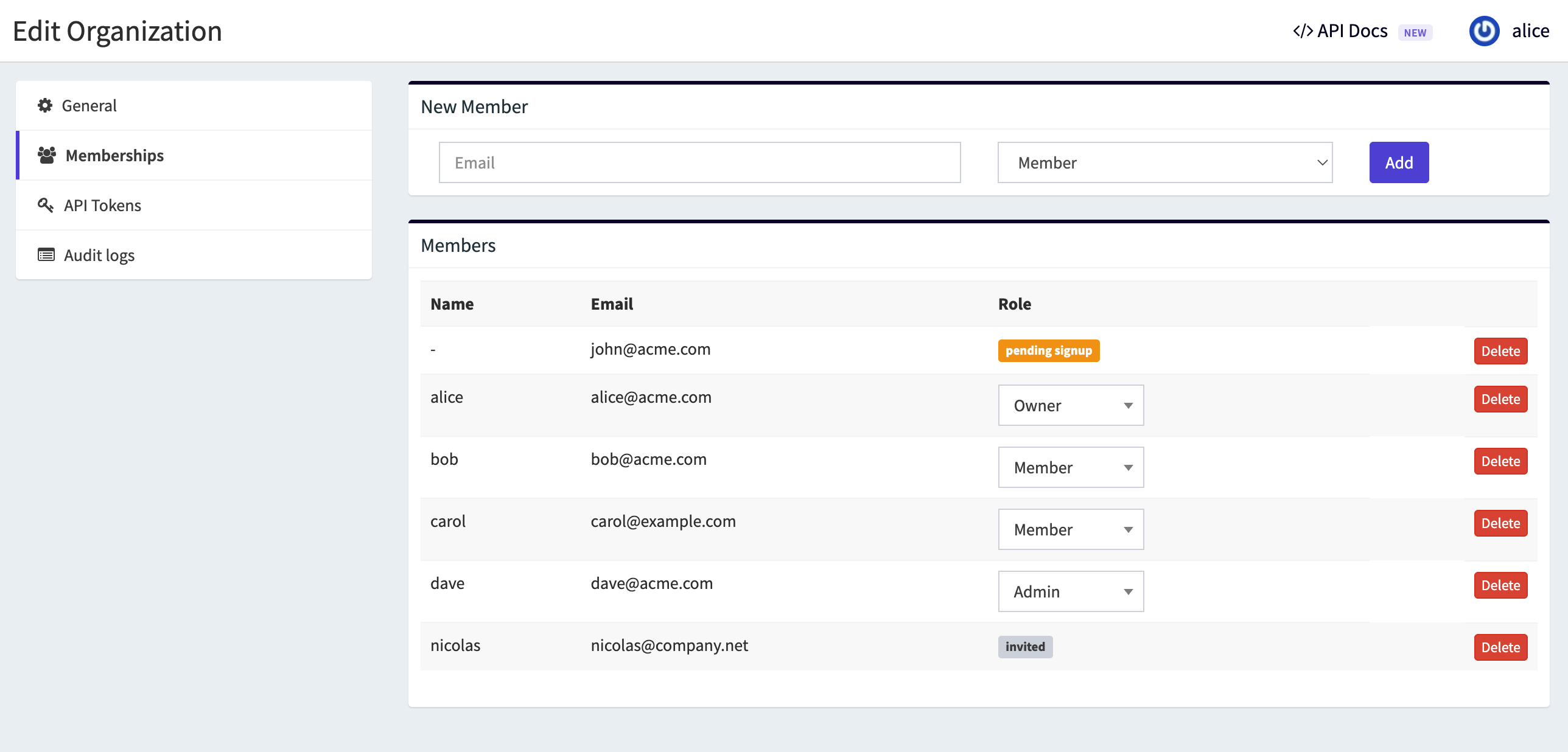
This makes it easy to delegate day-to-day administration without sharing full owner rights.
Project roles
Project roles apply to organization Members who have been added to a project:
| Role | Summary |
|---|---|
| Viewer | Read-only access to project data (CVEs, reports, automations, notifications, subscriptions). |
| Contributor | Viewer + operational CVE work (assign, status, comments). |
| Project Admin | Contributor + project management (settings, members, subscriptions, automations, notifications). |
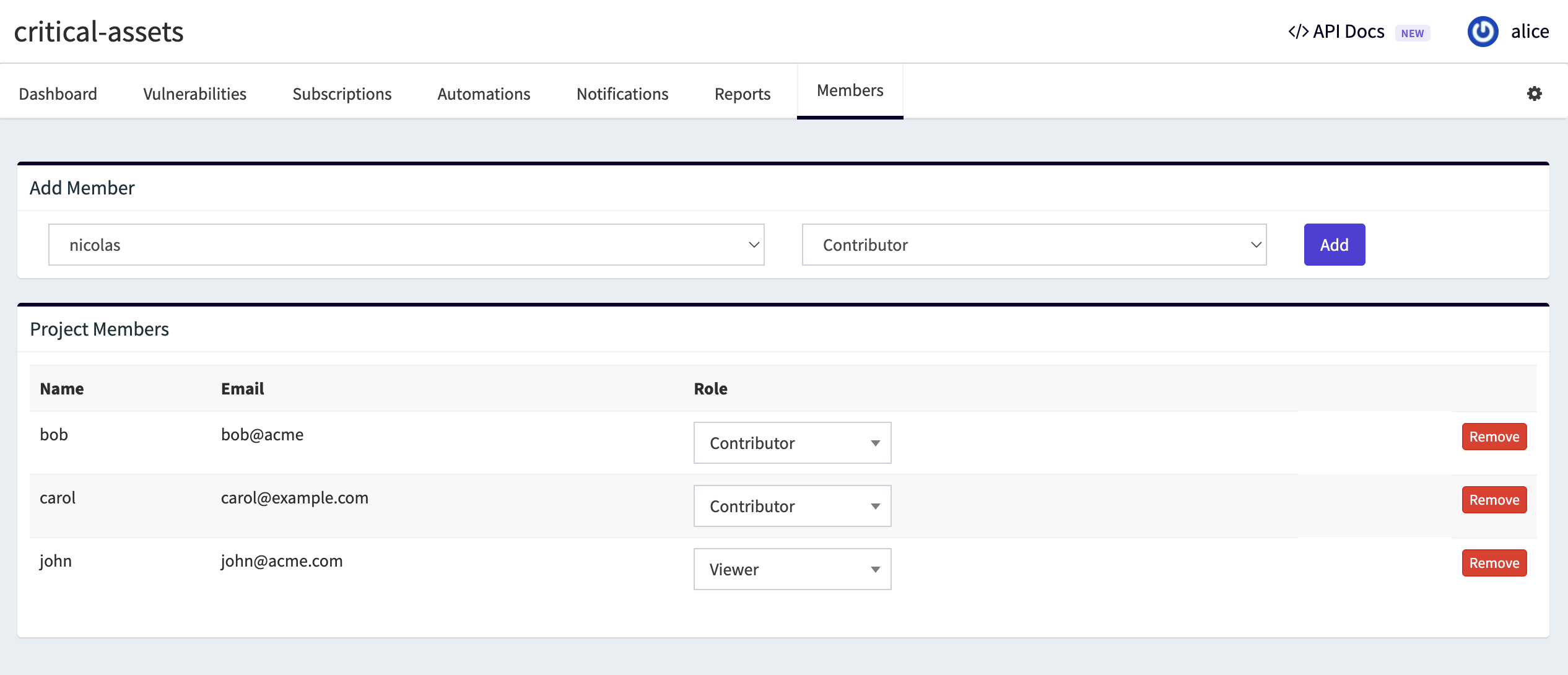
👉 Need read-only visibility for stakeholders? Assign Viewer on selected projects.
👉 Need engineers to triage CVEs without touching project settings? Contributor is the right fit.
Typical setups
Access Control adapts to different team structures:
- Small team, one owner: the Owner manages everything. Members are added as Contributors on relevant projects.
- Delegated administration: promote trusted users to Admin. Keep Owner for billing-level control and audit logs.
- Read-only stakeholders: add as organization Member, assign Viewer on selected projects.
- MSSP per-client projects: Admin or Owner creates projects. Client contacts get Viewer or Contributor on their project only.
Seamless upgrade for existing organizations
If you already use OpenCVE, your existing setup is preserved.
When you upgrade, existing organization Members are automatically granted Contributor access on all projects in their organization. Owners keep full control as before.
This release also fixes a permissions inconsistency: organization Members could manage vendor and product subscriptions, which was never the intended behavior. Subscription management now follows the same project-level rules as the rest of the platform.
API tokens are separate
Organization API tokens (REST API v2) are not user ACL proxies. They authenticate as the organization itself with read/write scope.
The roles described in this guide apply to the web UI and user-based flows.
Available on OpenCVE Cloud and self-hosted
Access Control is available on self-hosted deployments and on OpenCVE Cloud.
Head to your organization settings and project members pages to configure roles today on OpenCVE.
To learn more: access control documentation