Introducing OpenCVE API v2
We’re excited to announce OpenCVE API v2, a major step forward for teams who want to connect OpenCVE to their own security stack.
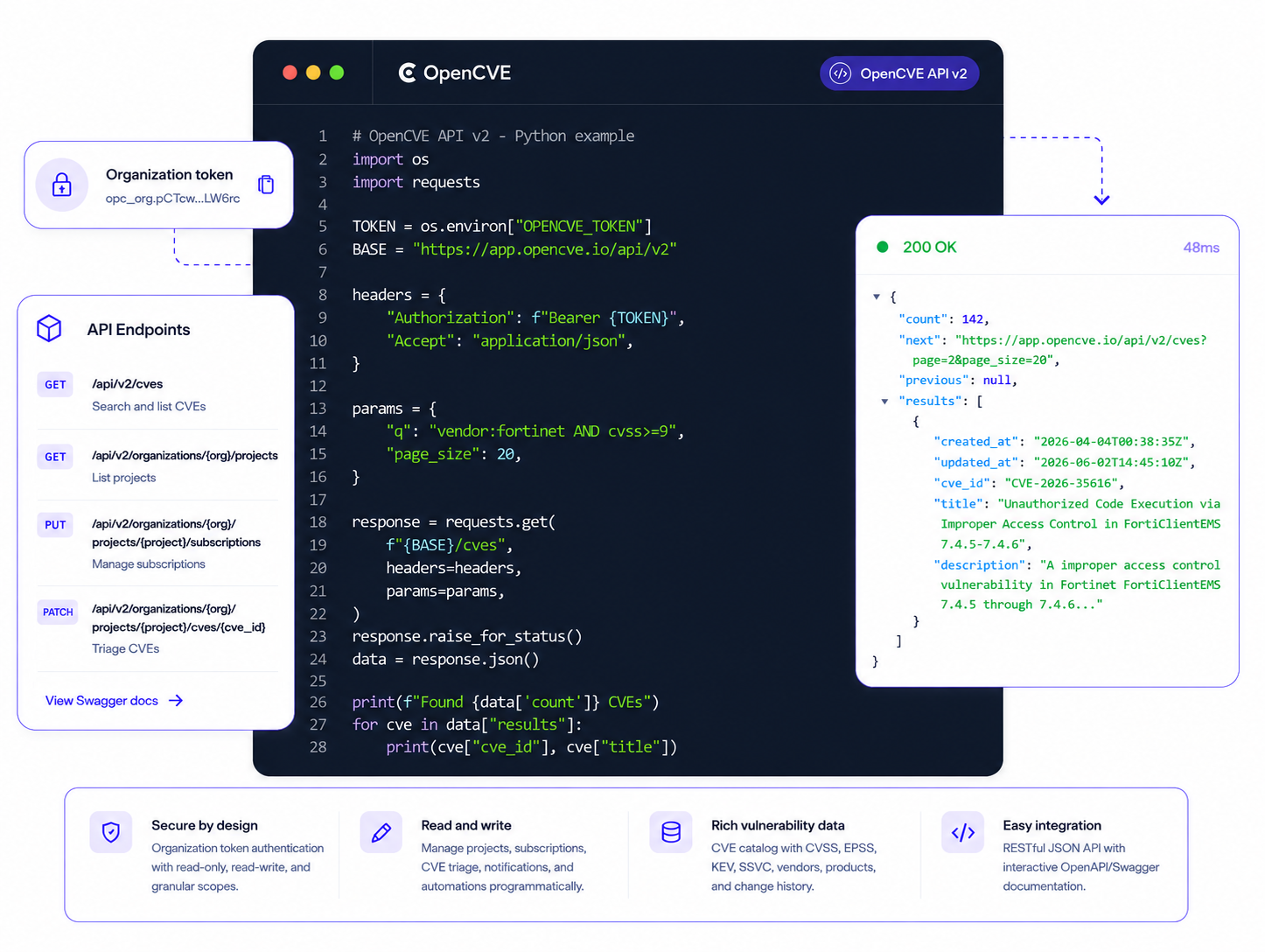
OpenCVE is no longer just a web application you log into. It’s a platform your tools can drive: inventory systems, ITSM platforms, SOAR playbooks, internal dashboards, and CI/CD pipelines can now read from and write to OpenCVE programmatically.
Why an API matters
Vulnerability management doesn’t happen in a silo. Your team already works across multiple tools:
- a CMDB or inventory that knows which software is deployed
- an ITSM (ServiceNow, Jira, etc.) where tickets are opened and tracked
- a SOAR or SIEM that orchestrates incident response
- internal dashboards and automation scripts that keep everything in sync
Until now, connecting OpenCVE to these systems meant manual work: updating subscriptions by hand, triaging CVEs one by one, copying data between tools. The original API helped you read CVE data, but it couldn’t keep your OpenCVE workspace in sync with the rest of your stack.
API v2 changes that.
From read-only to full control
The original OpenCVE API (v1) was designed for read access: list CVEs, browse vendors and products, inspect project data. Useful, but limited.
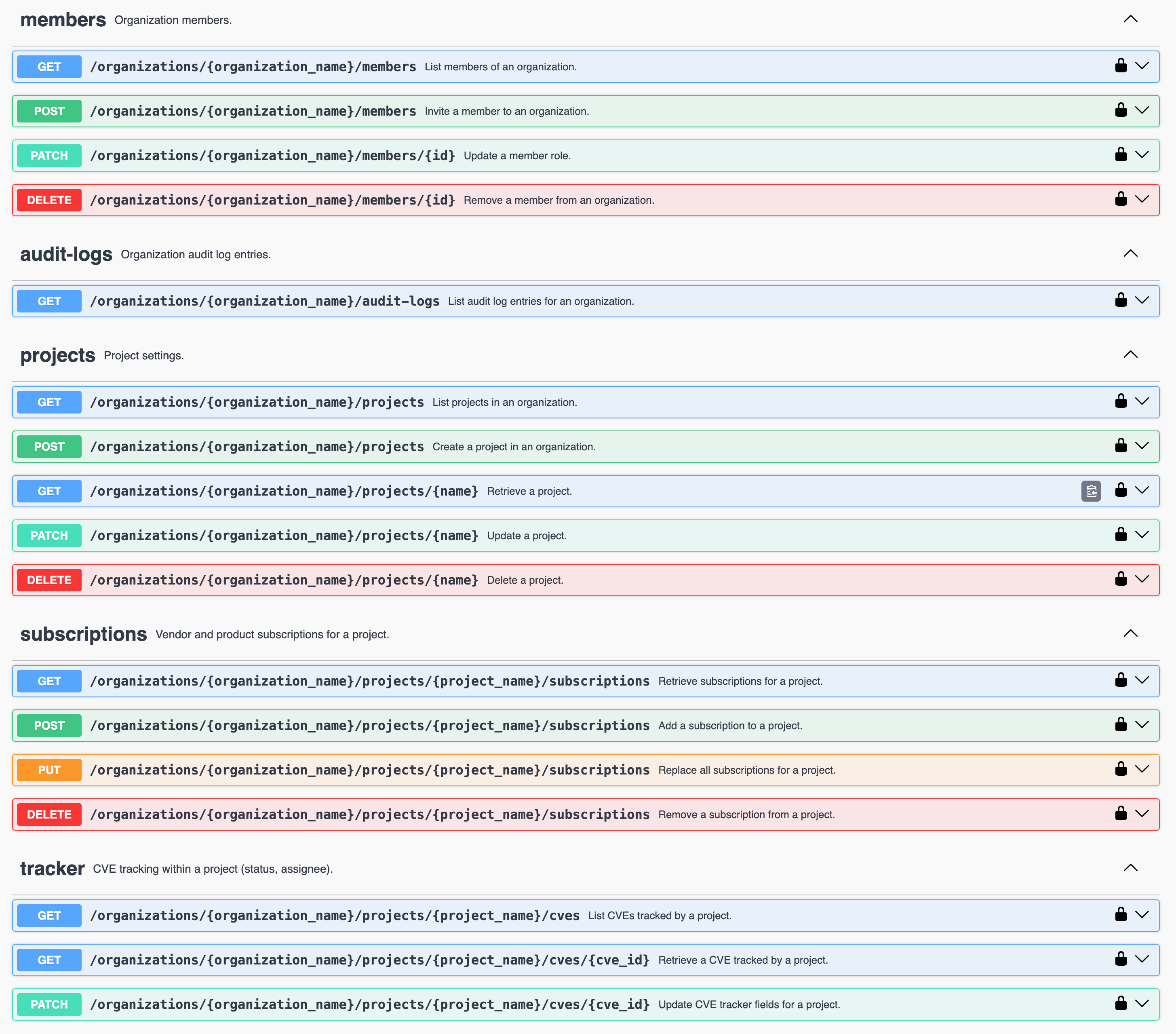
API v2 is read and write. You can now programmatically:
- Browse the CVE catalog with advanced search, vendors, products, and weaknesses
- Manage projects: create, update, and configure them
- Update subscriptions: sync vendors and products from your inventory
- Triage CVEs: set status and assignee directly from your workflows
- Configure notifications and automations: wire OpenCVE into your alerting stack
- Read reports and audit logs: feed dashboards and compliance workflows
Everything is documented in an interactive Swagger UI, so you can explore endpoints, try requests, and copy examples without guessing.
Example: sync subscriptions from your inventory
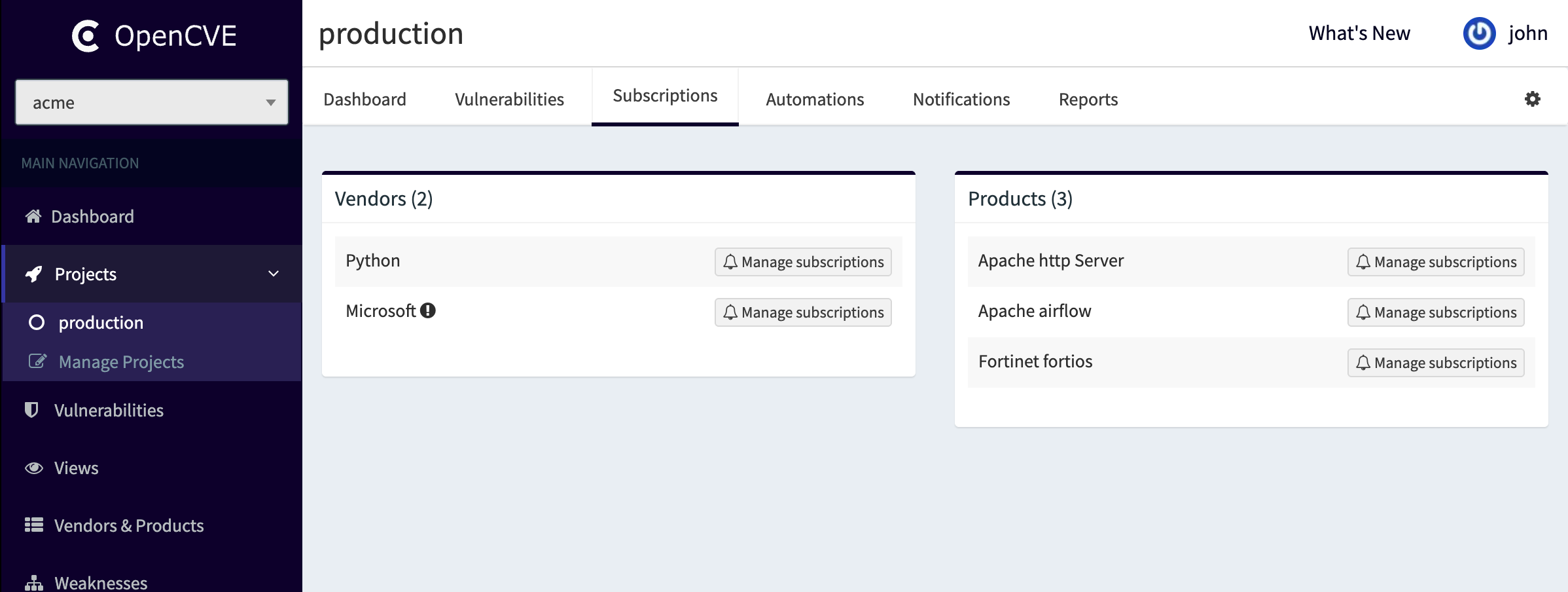
One of the most common automation scenarios: your inventory knows which vendors and products your team runs. OpenCVE should monitor exactly those, no more, no less.
With API v2, you can replace all subscriptions of a project in one call:
export OPENCVE_TOKEN="opc_org.<token_id>.<secret>"

curl -X PUT \
  "https://app.opencve.io/api/v2/organizations/acme/projects/production/subscriptions" \
  -H "Authorization: Bearer $OPENCVE_TOKEN" \
  -H "Content-Type: application/json" \
  -d '{
    "vendors": ["python", "microsoft"],
    "products": {
      "apache": ["http_server", "airflow"],
      "fortinet": ["fortios"]
    }
  }'
That’s it. Your inventory pipeline pushes the current software stack, and OpenCVE starts monitoring the right vendors and products.
The same request can combine whole-vendor subscriptions, such as python, with specific products, such as apache/http_server:
Imagine the workflow:
- Your CMDB exports the software inventory nightly
- A script maps it to OpenCVE vendor/product slugs
- One API call updates the project subscriptions
- OpenCVE automations handle the rest: alerts, triage, reports
No manual clicks. No drift between your inventory and your CVE monitoring.
More automation scenarios
Subscriptions are just the beginning. With API v2, you can build workflows like:
- Automated triage setup: programmatically configure workflows that mark critical CVEs as “Pending review” and assign them to the appropriate team member
- ITSM integration: read project CVEs and open tickets in ServiceNow or Jira when KEV-listed vulnerabilities appear
- Compliance dashboards: pull audit logs and report data into your internal reporting tools
- Onboarding automation: create a new project and configure subscriptions when a new team joins your organization
Secure authentication with organization tokens
API v2 uses Organization API Tokens. No user credentials in scripts. Create tokens from your organization settings, revoke them anytime, and keep automation isolated from user accounts.
On OpenCVE Community, tokens support read-only or read-write access.
On OpenCVE Cloud, starting from the Pro plan, you can create tokens with granular scopes. For example, a token limited to catalog:read and tracker:read for a dashboard, or subscriptions:write and projects:read for an inventory sync pipeline.
Get started
API v2 is available now:
- Swagger UI: interactive API docs
- Documentation: OpenCVE API reference
- Create a token: Organization settings → API Tokens
The original API v1 is deprecated and no longer receives new features. If you’re still using v1, now is the time to start planning your migration.