Introducing Automations
We’re excited to introduce a major evolution in how OpenCVE helps teams manage CVEs: Automations.
If you use OpenCVE today, you already know the value of tracking CVEs that match your vendors and products. But as subscriptions grow, so does the noise. Every update, every score change, every new reference can demand attention.
Automations give you control over when, why, and how OpenCVE reacts to the CVEs in your projects.
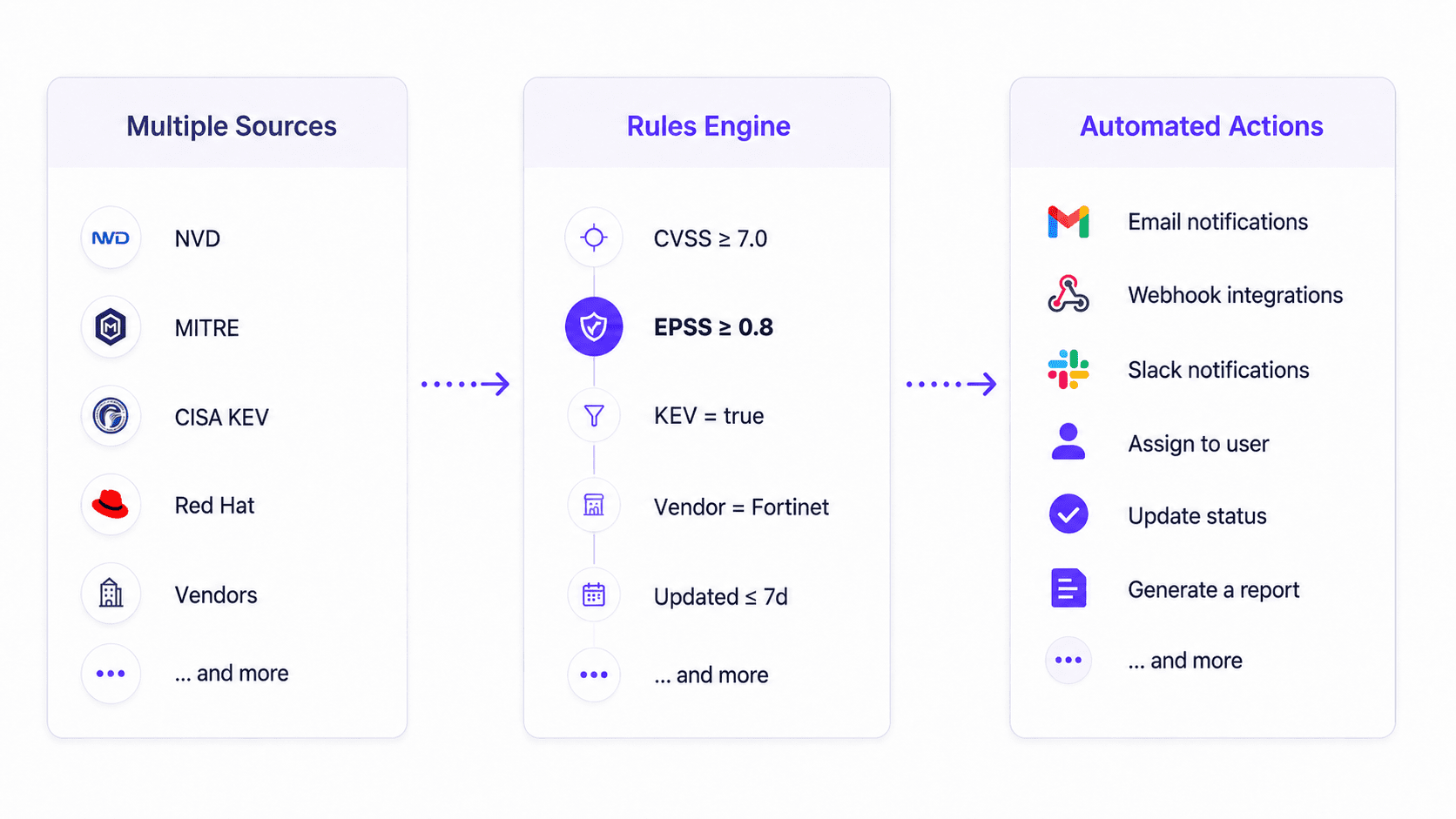
From noise to focused workflows
Vulnerability monitoring is not just about detection. Security, SOC, DevSecOps, and engineering teams need to prioritize, triage, and act without drowning in alerts.
Until now, much of that logic lived inside notification configurations: event filters, CVSS thresholds, delivery rules, all bundled together. That worked, but it was hard to extend. You could notify, but you couldn’t easily assign a CVE, change its status, or build a scheduled digest with the same flexibility.
Automations change that.
Notifications are now delivery channels
With this release, notifications no longer include filters.
Notifications are now delivery channels: they define where a message goes, not when or why it should be sent.
All filtering, scheduling, and workflow logic moves to Automations:
- When should something happen? (hourly alerts or scheduled reports)
- Which CVEs should match? (conditions and event triggers)
- What actions should run? (notifications, assignments, status changes)
If you had existing notification rules, OpenCVE migrated them automatically to alert automations. Each former notification became an automation with equivalent triggers and conditions, wired to the same delivery channel. On paid plans, a default Daily report automation was also created for each project.
You no longer configure filters on the Notifications page. Configure your workflows in Automations instead.
What Automations do
An automation is a workflow built from four parts:
- Trigger: when the automation runs
- Conditions: which CVEs should match
- Actions: what OpenCVE should do
- Results: what was produced, visible in the execution history
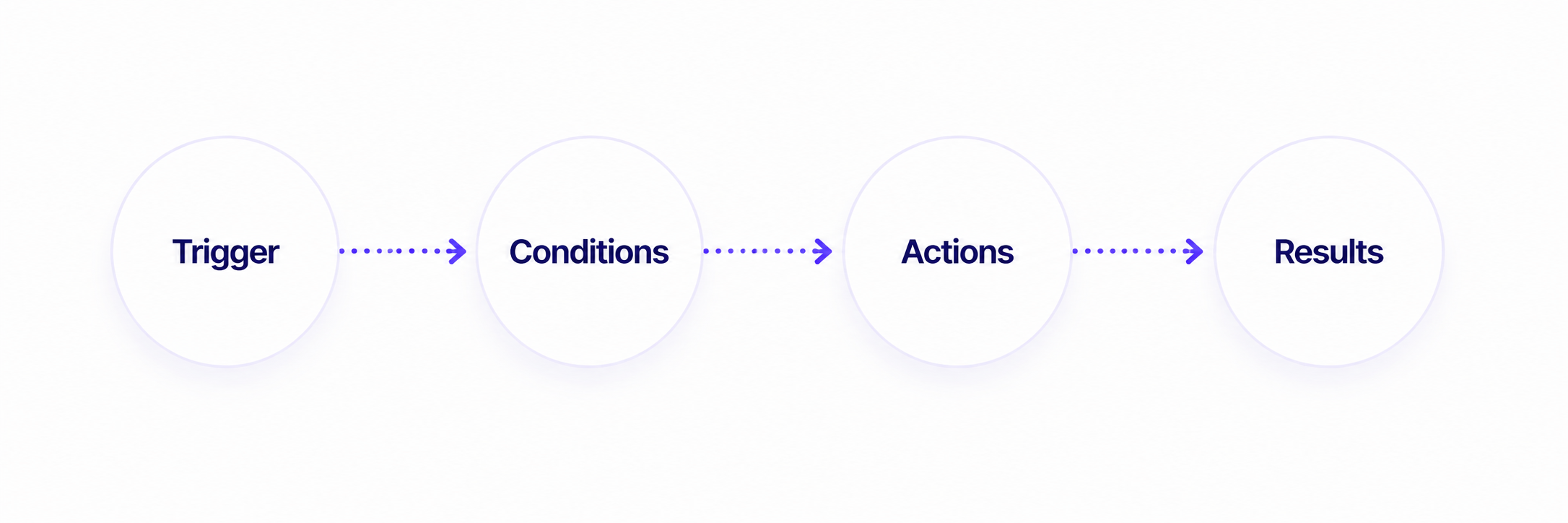
This model gives you a clear, auditable path from a CVE update to the actions your team needs.
Alert automations: react quickly
Alert automations run every hour on CVEs that matched during the previous hour.
They are designed for near real-time reactions:
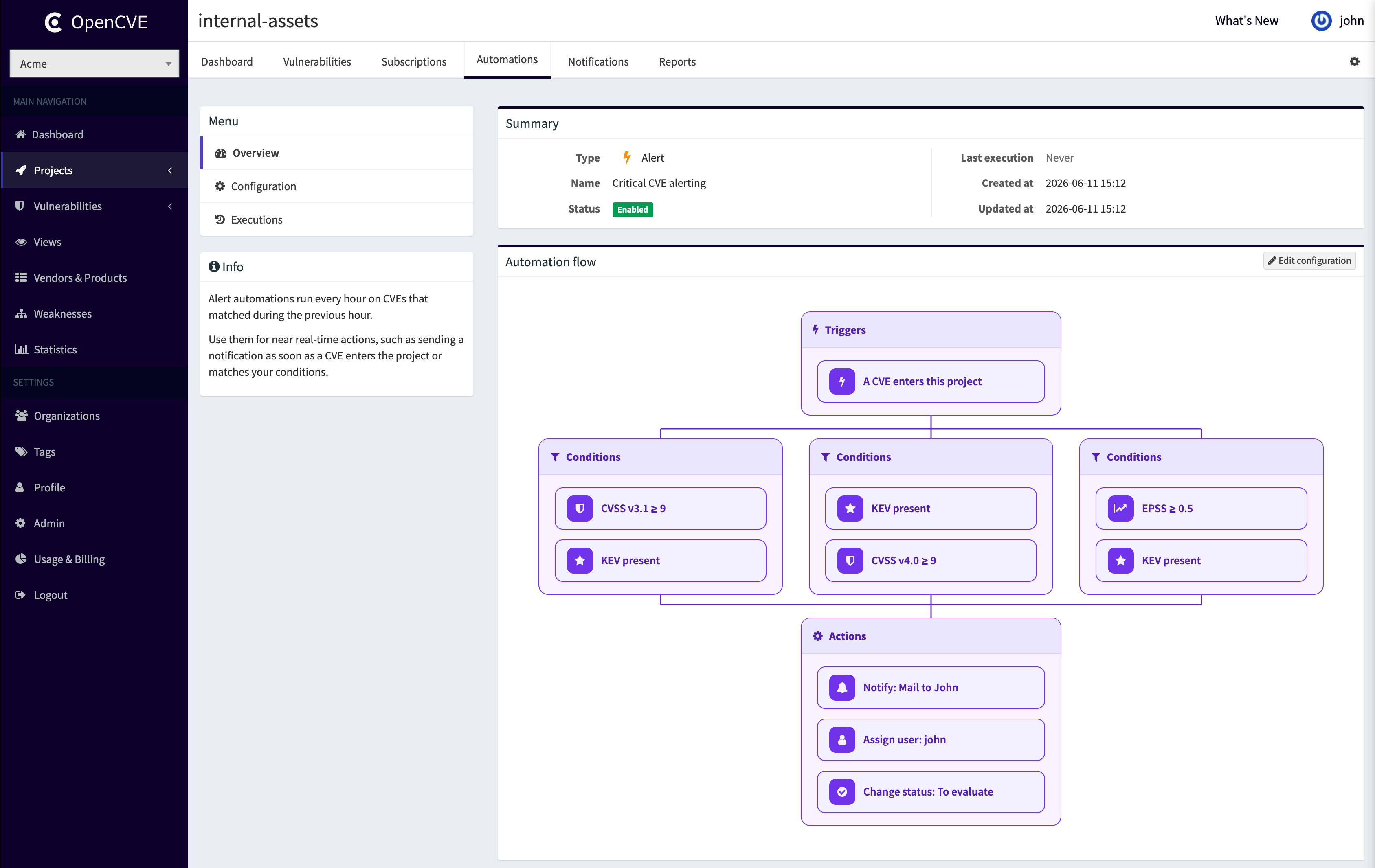
- notify your team when a critical CVE enters a project
- assign a CVE for triage as soon as it matches
- push matching CVEs to a webhook
- change a CVE status automatically
You configure events (for example, a CVE enters the project, CVSS increases, KEV listing added) and optional conditions (CVSS ≥ 8, KEV present, specific vendor) to keep alerts focused.
Report automations: digest and review
Report automations collect matching CVEs over a full daily or weekly period, then run actions at the scheduled time.
Reports are not generated instantly. CVEs accumulate throughout the period. When the schedule fires in your chosen timezone, OpenCVE executes actions on everything collected in that report.
Daily reports cover the previous full calendar day. Weekly reports cover the previous 7 full local days, aligned on the weekday you choose.
Report automations are ideal for:
- daily KEV digests for leadership
- weekly summaries before team security reviews
- scheduled email or Slack reports with only the CVEs that matter
Example workflows
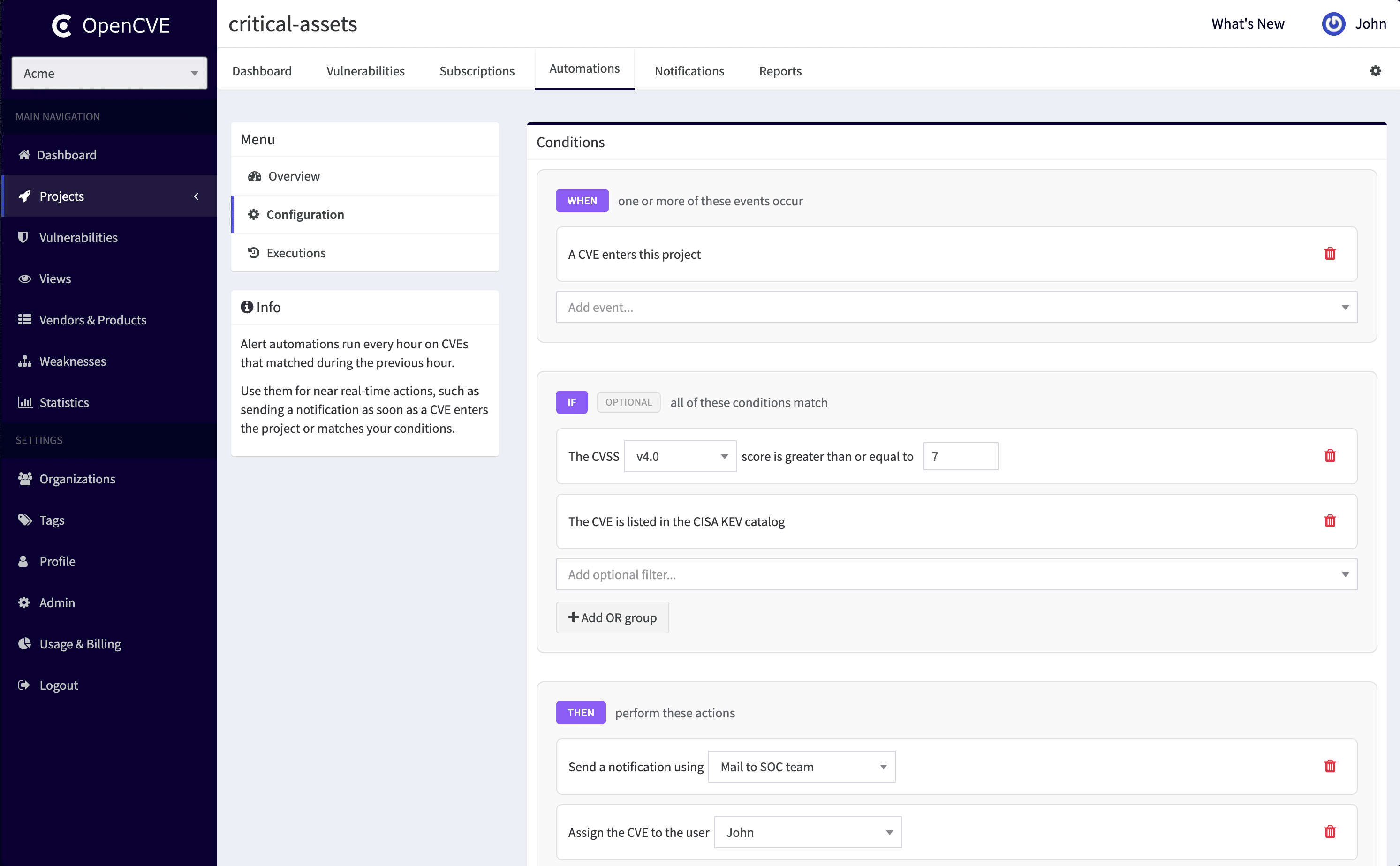
Critical CVE alerting
Alert automation → CVSS ≥ 9 or KEV → Slack notification + assign engineer + status Pending review
KEV daily report
Report automation (daily) → KEV condition → email notification with collected CVEs
Weekly vulnerability review
Report automation (weekly, Friday 09:00) → CVSS ≥ 7 → notification with weekly digest
Webhook integration
Alert or report automation → custom conditions → webhook to your ticketing, SOAR, or SIEM
Better triage, prioritization, and reporting
Automations connect the full vulnerability management workflow in OpenCVE:
- Reduce noise with conditions on CVSS, EPSS, KEV, vendors, and products
- Automate triage by assigning CVEs and setting statuses
- Integrate with your stack through webhooks
- Review what happened in execution history: matched CVEs, action outcomes, notification delivery status
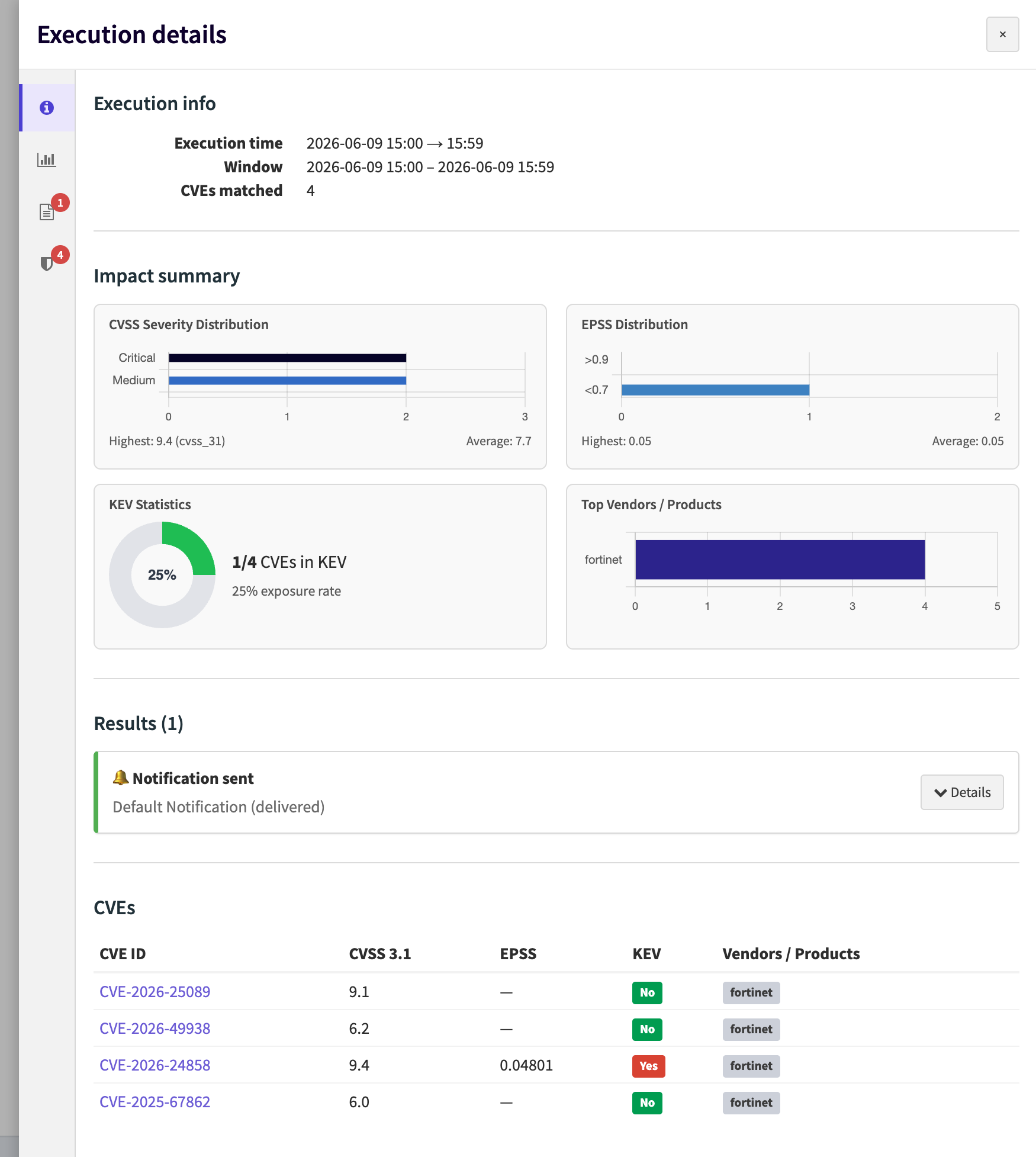
Combined with CVE Tracking (assignments and statuses), Automations turn OpenCVE from a monitoring tool into a workflow platform for vulnerability management.
Available on OpenCVE Cloud
Automations are available on self-hosted deployments and on OpenCVE Cloud.
On OpenCVE Cloud, available features and quotas depend on your plan. Notification quotas have also been replaced by automation quotas, which now cover both alerts and reports.
See Cloud plan limits in the Automations documentation for the full breakdown.
A step forward for vulnerability management
Automations are one of the most flexible features we’ve added to OpenCVE. They give security teams the control they need to cut through noise, act on what matters, and integrate OpenCVE into the way they already work.
Head to your projects and explore Automations today on OpenCVE.
To learn more: automations documentation