Introducing CVE Tracking
We’re excited to introduce a major improvement to how teams manage vulnerabilities in OpenCVE: CVE Tracking 🎯
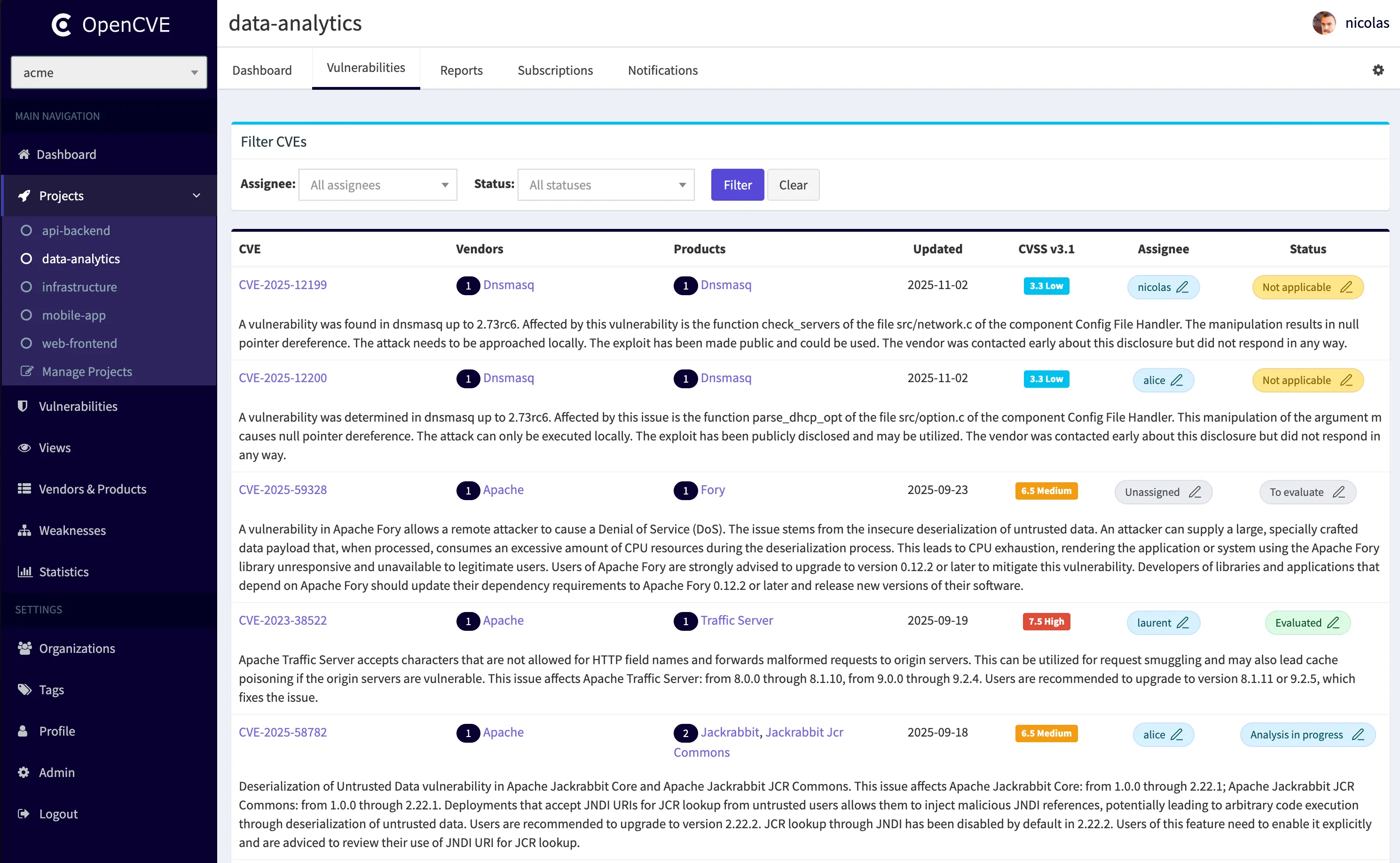
This new feature brings accountability and workflow into your vulnerability management process by allowing you to assign users to CVEs and track progress with statuses.
How it works
From the list of vulnerabilities in a project, you can now:
- Assign a member of your organization to a CVE
- Set a status to track progress
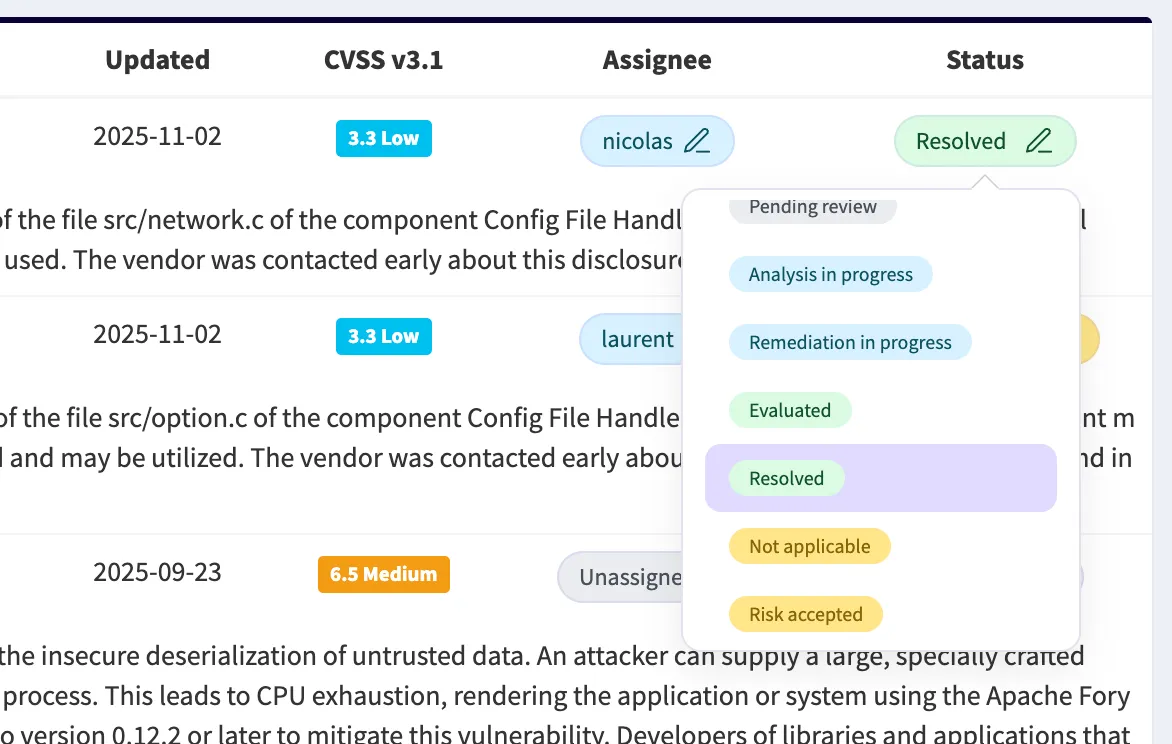
Available statuses include:
- To evaluate
- Pending review
- Analysis in progress
- Remediation in progress
- Evaluated
- Resolved
- Not applicable
- Risk_accepted
Advanced filtering allows you to quickly find:
- Which CVEs are assigned to you
- Which are still awaiting evaluation
- Which are close to remediation
You can also assign users and statuses directly on the CVE detail page:
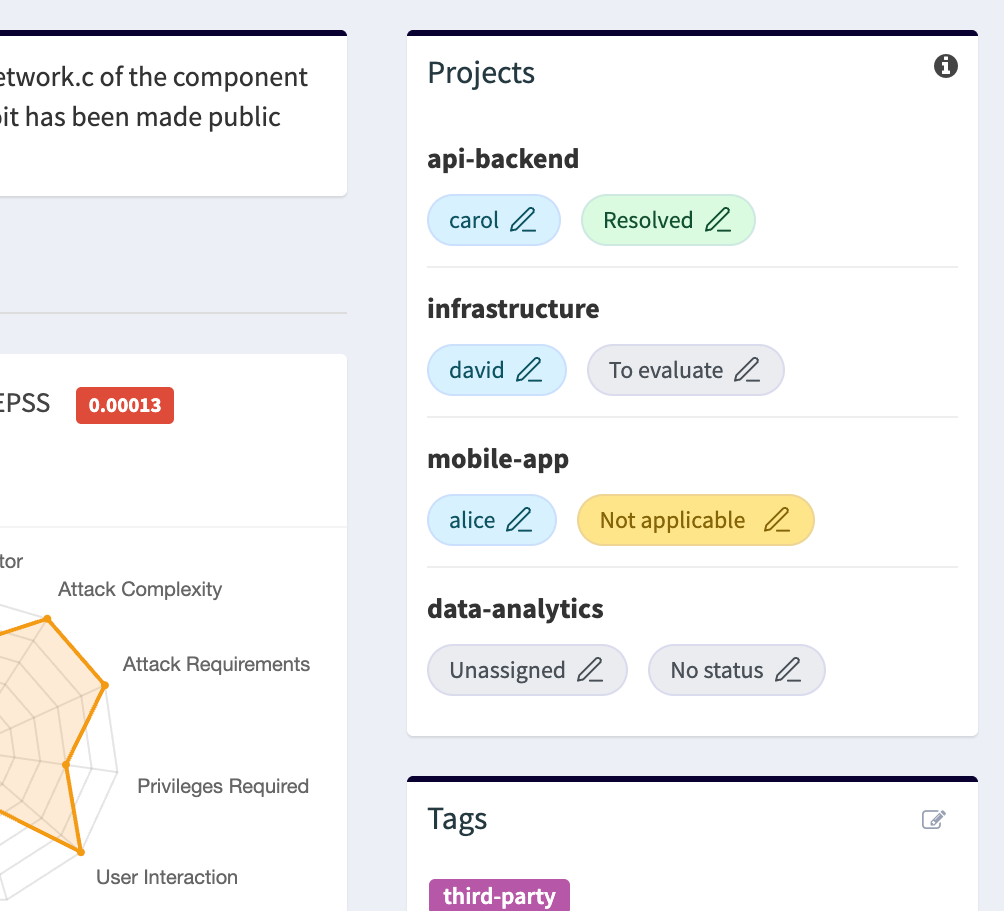
On this page, OpenCVE automatically shows all projects that share at least one subscription (vendor or product) affected by the CVE, so you immediately see where this vulnerability matters.
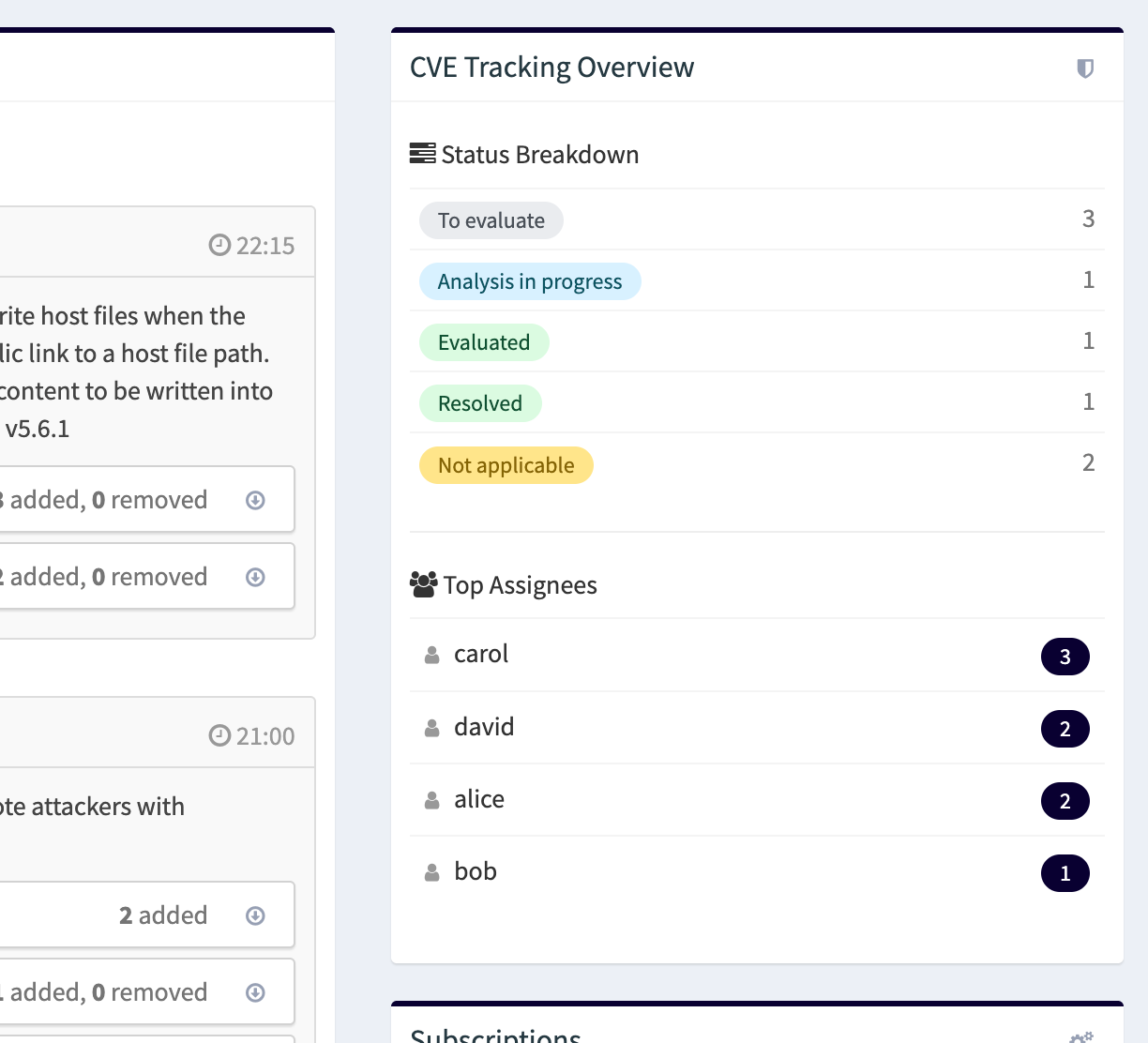
The project dashboard now includes new tracking statistics so you can instantly measure workload and progress:
New Widgets
To make tracking even easier across your entire organization, we’ve added two brand-new widgets to the main dashboard:
- CVEs by Assignment: filter vulnerabilities by project, assignee, and status to quickly identify who is working on what, and what needs attention.
- My Assigned CVEs: a personal view of every vulnerability you’re responsible for, visible the moment you log in.
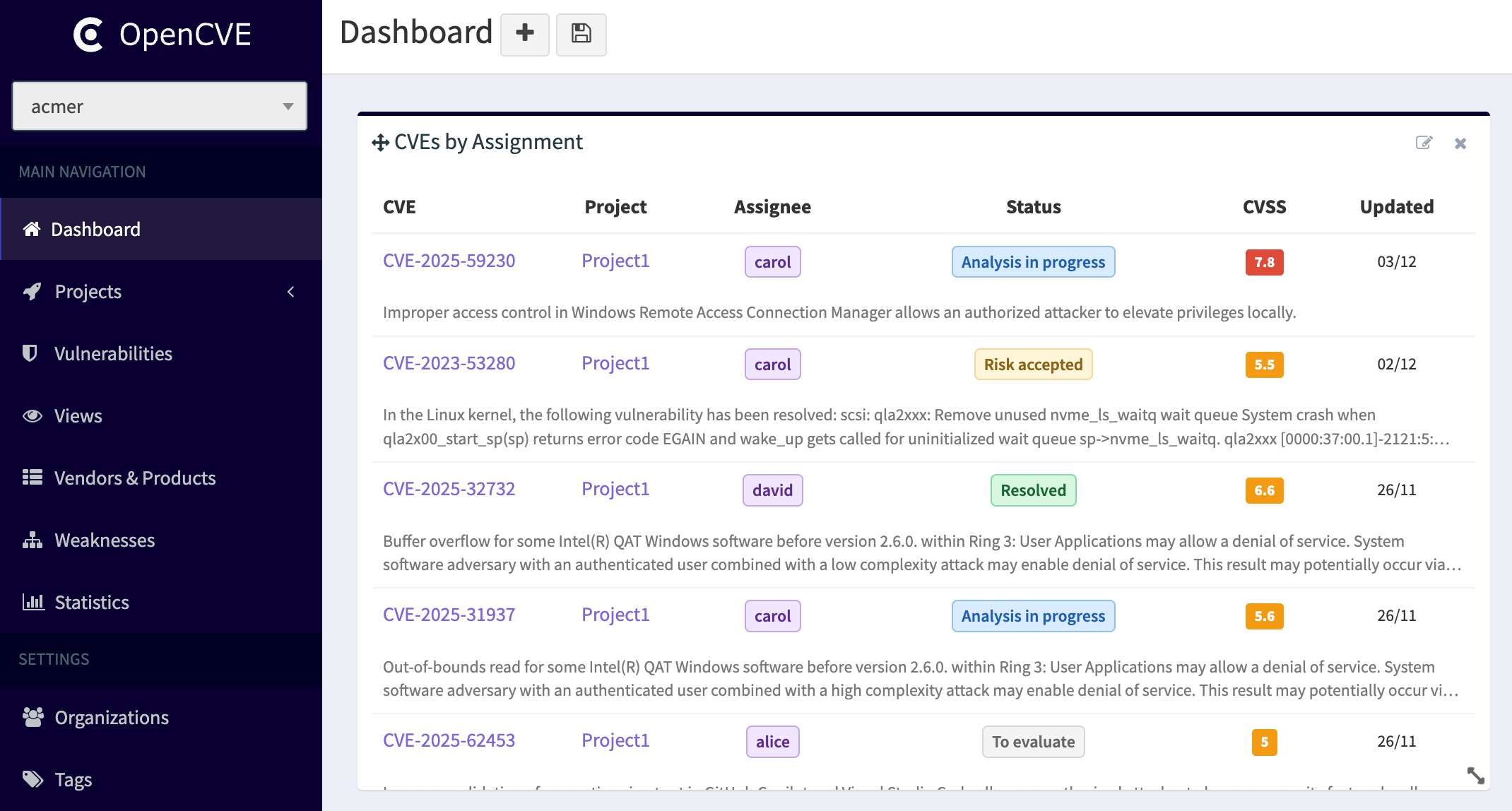
These widgets give security teams and engineers instant clarity on workload and priorities, without having to navigate into each project.
Why this matters
Effective vulnerability management is not only about detecting issues, it’s about ensuring someone takes care of them.
CVE Tracking helps your teams:
- Distribute responsibility and avoid blind spots
- Follow progress and eliminate stalled vulnerabilities
- Prioritize remediation based on critical areas
- Bring accountability into security workflows
🚀 Try it now
Head to your OpenCVE projects and start assigning vulnerabilities today.
More improvements around workflow and collaboration are coming soon — stay tuned!